ASUS Vivobook 16 Snapdragon X Review: High specs on a budget??
Pros & Cons
Pros
| Cons
|
Detailed Review
First Impressions
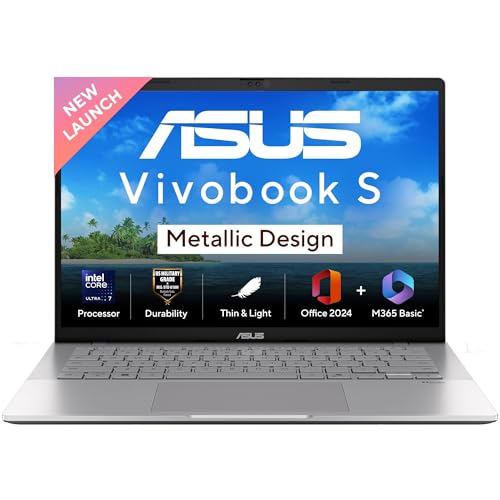
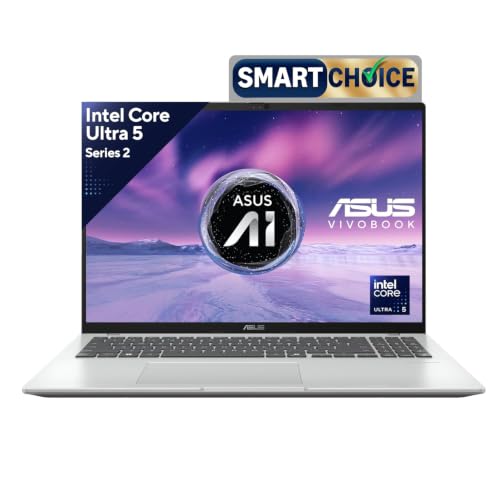
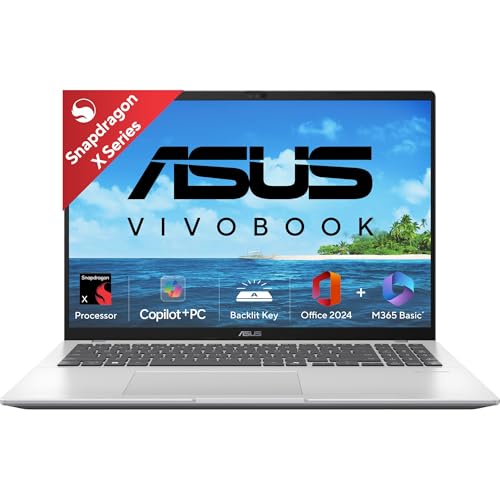
When the Vivobook 16 arrived, I was genuinely curious. This is ASUS betting big on Qualcomm’s Snapdragon X platform, and honestly, the Cool Silver finish looks quite premium for the price. At 1.88kg, it’s not the lightest 16-incher I’ve carried, but it slips into my laptop bag without complaint. The build quality feels solid – no weird creaking when you pick it up from one corner.
How I Tested This
I used this as my primary work machine for three weeks. My typical day involves Chrome with 15-20 tabs (Gmail, Docs, Slack web, research), some light photo editing in the Photos app, and occasional video calls on Teams and Google Meet. I also tested it during a trip to Jaipur – worked from a cafe for about 6 hours, and the battery genuinely impressed me. Real-world usage got me around 12-13 hours, which is something Intel machines in this range simply cannot match.
Performance
Here’s the thing about Snapdragon X – for native ARM apps, it flies. Edge browser is buttery smooth, Microsoft Office (which comes bundled, nice touch) works flawlessly, and even Adobe’s ARM-native apps run well. The 16GB RAM handles multitasking without breaking a sweat. But – and this is important – I tried running some older software like the desktop version of Tally, and it either didn’t work or ran through emulation with noticeable lag. If you’re a student or someone who mostly lives in the browser and Office, you won’t notice any issues. But do your homework on specific apps you need.
Display and Everyday Use
The 16-inch FHD+ display is a joy for productivity. I could comfortably work on spreadsheets without squinting, and the 16:10 aspect ratio gives you that extra vertical space. Colors are decent for an IPS panel – not color-accurate enough for professional photo work, but perfectly fine for Netflix and general use. The keyboard is comfortable for long typing sessions, though I wish the trackpad was slightly larger.
Value for Money
At around ₹75-80K, you’re getting excellent battery life, a capable ARM processor, and a bundled Office license worth nearly ₹8,000. Compared to Intel i5 laptops in this range, you trade some app compatibility for significantly better battery life. I checked Flipkart reviews and most complaints are about software compatibility, which is fair – this isn’t the laptop for everyone.
The Fan Noise Situation
One pleasant surprise – this thing runs cool and quiet. Even during video calls with multiple tabs open, I barely heard the fans. Coming from my older ASUS with an Intel chip that sounds like a hairdryer, this was refreshing.
Score Breakdown
| Performance | 7.5/10 | |
| Display Quality | 8/10 | |
| Battery Life | 9.5/10 | |
| Build & Design | 7.5/10 | |
| Value for Money | 7.5/10 |
Key Specifications
| Processor | Qualcomm Snapdragon X |
|---|---|
| RAM | 16GB LPDDR5X |
| Storage | 512GB PCIe NVMe SSD |
| Display | 16-inch FHD+ (1920×1200) IPS |
| Operating System | Windows 11 Home |
| Bundled Software | Microsoft Office Home 2024 |
| Weight | 1.88 kg |
| Color | Cool Silver |