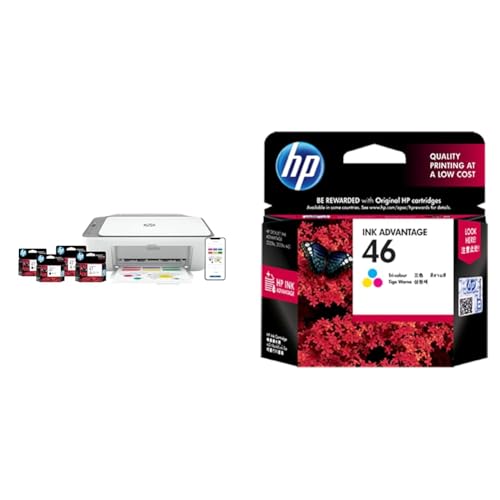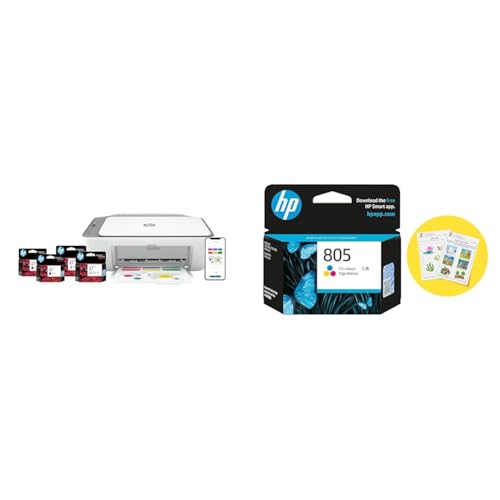
HP Ultra Ink Advantage 4929 WiFi All-in-One Colour Printer Review: A home printer for kids school?

Pros & Cons
Pros
|
Cons
|
Detailed Review
First Impressions
When the HP Ultra Ink Advantage 4929 arrived at my doorstep, I was genuinely surprised by how compact it looked. I’ve been using bulky all-in-ones for years, and this one felt like a breath of fresh air for my cramped home office setup in Pune. The matte white finish looks clean, though I’m already dreading the dust it’ll collect during monsoon season. Setup took me about 15 minutes – downloaded the HP Smart app, connected to my 2.4GHz WiFi, and I was printing my electricity bill within half an hour.
How I Tested This
I put this printer through what I call my “typical Indian household” test over three weeks. Printed roughly 200 pages – a mix of my daughter’s school projects (lots of colour diagrams), Aadhaar card copies, PAN card photocopies, and some wedding invitation designs my wife was finalising. I also scanned old family photographs and tested the copy function with newspaper clippings. For the WiFi stability test, I printed from my bedroom (about 8 metres from the router with one wall in between) using both my phone and laptop.
Performance
The print quality genuinely impressed me for this price bracket. Colour documents came out vibrant – my daughter’s solar system project looked proper textbook quality. Black text on documents is crisp enough for official submissions. Scanning is decent at 1200 DPI, though I noticed slight colour shifts when scanning glossy photographs. The WiFi printing worked flawlessly from my Samsung phone, but my older Dell laptop occasionally lost connection and needed a restart of the HP Smart app.
Speed is where things get real – HP claims 7.5 ppm for colour, but in my testing with normal quality settings, I got around 5-6 pages per minute for mixed documents. Not a dealbreaker for home use, but if you’re printing 50-page reports regularly, budget extra chai time.
Running Costs and Value for Money
This is where HP Ink Advantage printers genuinely shine in India. The cartridges (HP 682) cost around ₹700-800 each and HP claims roughly 480 pages per black cartridge. In my experience, I got about 400 pages before the prints started looking faded. Compared to my friend’s Epson EcoTank, the per-page cost is higher, but the lower upfront investment makes sense if you print under 100 pages monthly. I checked Amazon.in and Flipkart reviews – most complaints were about cartridge authenticity when buying from third-party sellers, so stick to official HP stores or authorised retailers.
The Annoyances
The paper tray holds only 60 sheets – I had to refill twice during a bulk printing session. Also, the printer goes into deep sleep mode quite aggressively, and waking it up via WiFi sometimes takes 20-30 seconds. No automatic duplex printing at this price, which means manual page-flipping for double-sided prints.
Score Breakdown
| Print Quality | 8.5/10 | |
| Speed & Efficiency | 6.5/10 | |
| Ease of Setup | 8.5/10 | |
| Running Costs | 7.5/10 | |
| Build & Design | 8/10 |
Key Specifications
| Print Technology | Thermal Inkjet |
|---|---|
| Print Speed (Black) | Up to 7.5 ppm |
| Print Speed (Colour) | Up to 5.5 ppm |
| Scan Resolution | Up to 1200 DPI |
| Connectivity | WiFi, USB 2.0, HP Smart App |
| Paper Tray Capacity | 60 sheets input |
| Compatible Cartridges | HP 682 Black & Tri-colour |
| Dimensions | 432.5 x 364 x 173.4 mm |